Stick Fight
New Games
What Is Stick Fight?
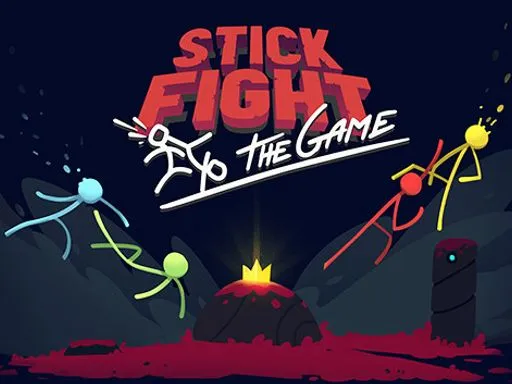
Stick Fight is a fast stick figure fighting game built around short rounds and simple goals. You spawn in a small arena, grab whatever weapon shows up, and try to be the last fighter standing. Rounds usually end quickly, so you can learn by doing and restart without frustration. Stick Fight is also easy to watch. Even someone who has never played can understand what is happening in seconds.
A big reason Stick Fight stays exciting is its physics based combat. Fighters bounce, slide, and get knocked around, so every hit can change the whole round. Weapons and arenas add variety, which keeps matches from feeling repetitive.
Why People Keep Coming Back
This game hits a sweet spot between skill and surprise. Good movement, calm aim, and smart blocking matter, but the physics can also create hilarious moments. You might win because you planned well. You might win because a flying weapon clipped your rival at the perfect angle. That balance makes Stick Fight great for quick breaks and friendly competition.
Play Stick Fight in Your Browser
You can play Stick Fight directly in your browser, which means no installation and no long setup. Open the page, let it load, and jump into a match. If you want a smooth place to start, play Stick Fight on magictiles.org.
Quick Start Steps
- Open magictiles.org and launch Stick Fight.
- Press play on the main screen.
- Start a round and learn the feel of movement and jumping.
After a few rounds, Stick Fight starts to feel less wild and more controllable, because you recognize arena patterns and weapon behavior.
Simple Performance Tips
If Stick Fight feels slow, close heavy tabs, switch to full screen, and refresh the page. A stable connection helps if your version uses online matches. On laptops, keep it plugged in so performance does not drop.
How to Control Stick Fight
Most versions use a keyboard for movement and a mouse for combat. A common layout is WASD for movement and jumping, left click to punch or shoot, right click to block, and F to throw a weapon. Enter is often used for chat.
Some browser builds remap keys, so always check the on screen hints. Still, the core idea is the same: move with the keyboard, aim with the mouse, and use quick actions to survive.
Core Actions
You will use these actions in almost every round:
- Move left or right to dodge and take better angles.
- Jump to reach platforms and avoid danger.
- Attack to punch, swing, or fire.
- Block to reduce damage in close fights.
- Throw to drop an empty weapon or surprise an opponent.
A simple beginner goal is to stop panic jumping. In Stick Fight, a random jump often turns you into an easy target.
Advanced Control Habits
Once you know the basics, focus on habits that lower mistakes.
Manage your weapon. If you have a strong gun, back up to a safe platform, aim, and fire in short bursts. If you pick up a melee weapon, stay near cover and wait for an opening instead of chasing forever.
Treat blocking like a prediction tool. Block before the hit lands. If you hold block all the time, you can lose position, so use it with rhythm.
Use throws with purpose. Throwing an empty weapon clears your hands so you can pick up something better. A well timed throw can also end a round, especially when your opponent is mid jump.
Gameplay Tips for Beginners
If you are new, your best friend is spacing. Keep a small gap so you have time to react. Use platforms to break line of sight, and avoid standing at the edge without a plan. Many rounds are lost by falling, not by taking damage.
Learn weapons in simple categories. Some reward fast clicking at close range. Some reward careful aiming from far away. When you pick up something new, test it for two seconds before you commit.
Finally, accept that weird things will happen. The physics can turn a clean plan into chaos. Your job is to recover faster than the other player.
The Origins of Stick Fight
Stick figure battles have been part of online culture for a long time, from animations to early web games. The modern wave of Stick Fight style play was shaped by a well known physics based fighting game released in 2017 by Landfall. It describes itself as a physics based local or online fighting game featuring iconic stick figures.
Many browser versions borrow that same formula: short rounds, funny physics, and lots of weapons. Even in a simple browser build, the spirit of Stick Fight comes through when a match flips in one second.
Common Questions About Stick Fight
Is Stick Fight free?
Many browser versions are free to start. On magictiles.org, you can open Stick Fight and play in your browser right away.
Can I play with friends?
Stick Fight is best with real opponents. Some versions focus on local play, and some support online matches. What you get depends on the version you are running.
Does it work on mobile?
Some builds support touch controls, but a keyboard and mouse usually feels better, especially for blocking and aiming. If you do play on mobile, use landscape mode and make sure your screen is not zoomed in, so you can see the whole arena.
Why does it feel random?
Stick Fight uses physics, so outcomes can look unpredictable. As you learn spacing, timing, and weapon control, you will predict more of what happens and make better choices.
How do I improve fast?
Play short sessions and focus on one skill at a time. One day, practice blocking. Another day, practice aiming while moving. Stick Fight rewards calm decisions more than frantic movement.
Play Stick Fight on magictiles.org
Stick Fight is simple, quick, and endlessly replayable. If you want to jump in now, go to magictiles.org, load Stick Fight, and play a few rounds. Once you land your first clean win, you will understand why Stick Fight keeps people coming back.

Comments
Loading comments…