Speed Run 3d




Speed Run 3D at a Glance
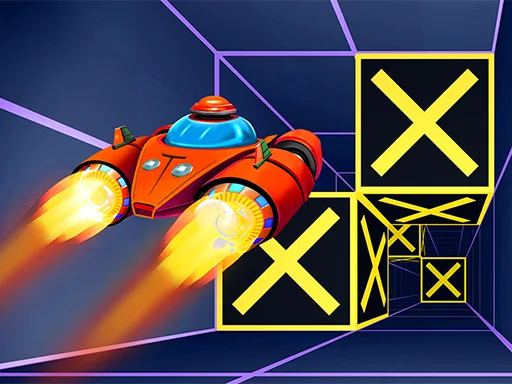
Speed Run 3D is a fast browser runner where you guide a ball through suspended tracks filled with gaps, sharp turns, moving hazards, and sudden drops. The core loop is simple: stay alive as long as possible while your speed ramps up and the margin for error shrinks. Because each section is short but intense, the game creates a quick retry rhythm that encourages one more run.
Unlike slower puzzle or city building games, this one is about reaction timing and lane discipline. You are constantly deciding whether to hold a safer center line or cut toward an edge to prepare for the next obstacle chain. Small mistakes compound quickly, so players improve by learning pattern recognition rather than memorizing one full map.
The visual style is usually minimalist and neon inspired, which helps readability at high speed. Obstacles are clear, lanes are clean, and your focus stays on movement timing. That clarity is part of why Speed Run 3D works well in browser form: the objective is obvious in seconds, but mastery takes many sessions.
How the Core Gameplay Loop Works
Every run starts with manageable pace, then pressure builds. You dodge early blockers, clear basic gaps, and get used to the acceleration curve. After that warmup, the game shifts into dense sequences where one successful dodge sets up the next three decisions. That transition is where most runs end for new players.
The scoring model in this type of runner usually rewards distance and survival time. You are not trying to finish a story campaign in one sitting. You are trying to push a personal best and execute cleaner lines each attempt. This makes Speed Run 3D ideal for short sessions because progress is measurable even when each run lasts only a minute or two.
A useful mindset is to treat each segment as a micro challenge. Clear one obstacle cluster, reset your posture, and prepare for the next pattern. Players who rush often oversteer. Players who look slightly ahead, not just at the ball, tend to survive longer.
Playing Speed Run 3D in Browser on This Site
On this page, Speed Run 3D runs directly inside an embedded frame, so you can launch a session without installation. Click or tap play, wait for the scene to initialize, and start moving immediately. Browser play is convenient for quick breaks because setup time is minimal and restarts are instant.
If performance feels inconsistent, close heavy tabs and keep one active game window. Runner games depend on smooth frame pacing, and stable input timing matters more than fancy graphics settings. A modern browser is usually enough for a clean experience.
Because this is an online embed format, occasional loading delays can happen depending on network conditions. When that occurs, a refresh usually resolves the issue. Once loaded, gameplay flow is continuous and restart speed is one of the strongest parts of the experience.
Controls and Movement Fundamentals
Most browser builds of Speed Run 3D use straightforward directional movement. On desktop, players typically use arrow keys or A and D to steer left and right. On mobile compatible builds, touch drag or side taps provide equivalent lane control. The exact input label can vary by portal, but the practical skill remains the same: precise horizontal correction without panic movement.
Key Principle 1: Minimize Overcorrection
New players often lose runs by making two large corrections instead of one small adjustment. At high speed, the second correction usually sends the ball into the next obstacle. Keep your steering deliberate, then return to center control as soon as the immediate threat is cleared.
Key Principle 2: Read Two Obstacles Ahead
Do not react only to the nearest block. Scan forward and identify the exit lane for the current obstacle and the entry lane for the next one. This reduces emergency swerves and keeps movement fluid.
Key Principle 3: Protect the Center Line
Hugging edges can feel faster, but center positioning gives you options when surprise hazards appear. Use edges only when a specific pattern demands it, then rotate back toward the middle when safe.
Practical Tips That Raise Your Average Run
Tip one is rhythm management. Many players focus only on raw speed, but survival improves when you match your input tempo to obstacle spacing. Fast taps in dense segments and calmer corrections in open lanes produce better consistency than constant aggressive steering.
Tip two is intentional restart behavior. If a run starts sloppy and your hands feel tense, reset quickly and start clean. This is not wasted time. In reaction games, quality repetitions build muscle memory faster than forcing low quality attempts.
Tip three is fail analysis. After each crash, ask one direct question: was it late reading, bad lane setup, or overcorrection. Naming the cause helps you change one behavior next run instead of repeating the same mistake.
Tip four is session structure. Play in short focused blocks rather than long unfocused marathons. Ten concentrated minutes can outperform forty distracted minutes, especially in high speed runners where mental fatigue appears early.
Common Mistakes and How to Recover
The first common mistake is tunnel vision. Players stare at the ball and miss upcoming geometry. Recovery strategy is simple: soften your gaze and track the track, not just your avatar.
The second mistake is panic input after a near miss. One narrow dodge often triggers rushed follow up movement that causes the actual crash. Recovery means taking one controlled beat after a save, then re-centering before the next cluster.
The third mistake is chasing a single perfect run too hard. Frustration narrows reaction quality. Recovery is to set mini goals, such as cleaner entry on one obstacle pattern, and let score improvement come as a byproduct.
Background and Release Context
Speed Run 3D is part of the broader browser runner wave that emphasizes instant access and high replay value. The game appears across multiple web game portals and embedded distribution channels, which is common for modern HTML5 and WebGL arcade titles. That multi portal footprint helps explain why many players discover it through quick recommendations rather than a single storefront launch.
In practical terms, the identity of Speed Run 3D is less about long narrative progression and more about repeatable challenge design. It sits in the same casual competitive space as other score attack runners, where players compare personal bests and return for short but intense practice sessions.
FAQ
Is Speed Run 3D free to play here?
Yes. The browser version on this page is designed for immediate play without a paid download step.
Do I need to install anything before starting?
No installation is required. Open the page, start the embedded game, and play directly in your browser.
What are the basic controls in Speed Run 3D?
Most desktop builds use left and right directional input, usually arrow keys or A and D. The exact prompt may vary by host, but lane steering is the core action.
Why do I keep crashing after the speed increases?
The usual reason is late obstacle reading and overcorrection. Looking two obstacles ahead and making smaller steering adjustments improves survival quickly.
Can I play Speed Run 3D on mobile?
Many browser hosts provide mobile compatible controls, but performance depends on device and browser version. If mobile input feels delayed, desktop may offer smoother precision.
How can I improve my score fastest?
Use short focused sessions, review the cause of each crash, and prioritize clean movement over risky edge lines. Consistency beats occasional lucky runs.

Comments
Loading comments…